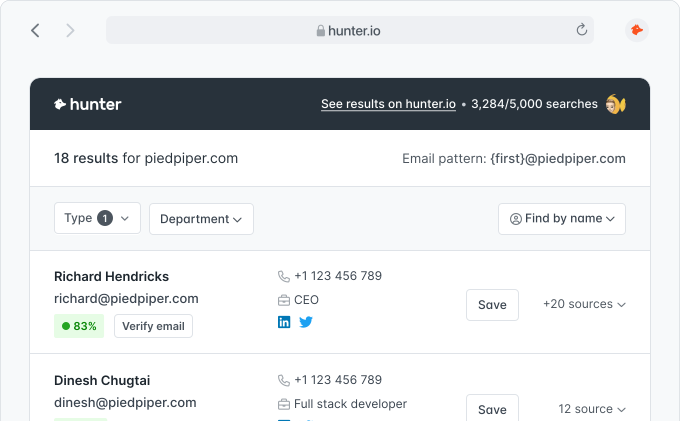
Enter your domain
Type any sending domain into the checker. No account, no login, no credit card.
Run a free email deliverability test on any domain. Know exactly why your emails aren’t landing and what to change so they reach the inbox.
Free · No signup · Instant results




The average outreach email open rate is 30%, and broken email authentication is one of the leading causes of underperformance. A quick deliverability check before you hit send can save an entire campaign.
Type any sending domain into the checker. No account, no login, no credit card.
Your SPF, DKIM, DMARC, and MX records get checked against current standards. You see exactly what's broken and what passes.
See how old your domain is and whether it has a working website, two signals inbox providers use to judge a sender. Your report also links to Spamhaus so you can check blocklists.
You get a plain-English explanation and the exact DNS update to make for every issue. Copy, paste, done.
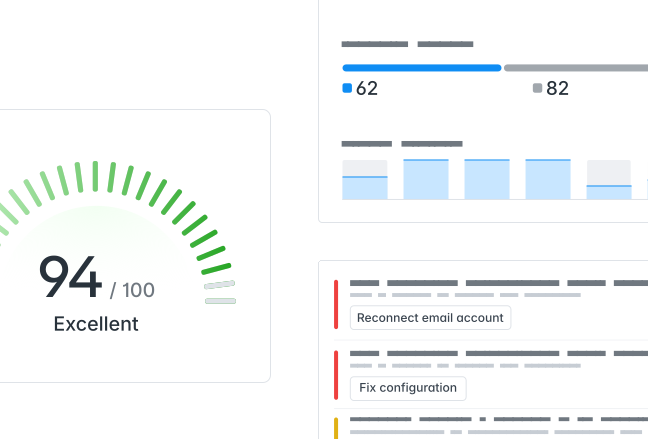
Create a free account to run unlimited checks on all your sending domains and get continuous monitoring.
Create a free account1 in 28 emails never land in an inbox. Most issues trace back to deliverability problems. Regularly use this checker to assess your DNS, DKIM, and DMARC to ensure spam filters don’t waste your best leads.
A broken SPF record lets anyone send email pretending to be you. Once it’s fixed, only your authorized mail servers send on your behalf and your sender reputation stays clean.
Your emails arrive with proof you sent them. DKIM signs every message with a cryptographic key that inbox providers verify on the other end. You catch missing or misconfigured keys before they quietly wreck your inbox placement.
Your domain stays locked down against impersonation. A DMARC policy tells inbox providers to quarantine or reject forged emails, so spoofers can’t ride your reputation into someone’s inbox.
Missing MX records mean your domain can’t receive replies. If a prospect hits reply and it bounces, you’ve lost the deal. Better to catch a misconfigured mail exchange before that happens.
Email blocklists can silently kill your campaigns without warning. Your report links to Spamhaus, so you find out you’re listed before your next send, not after it tanks.
A domain without a working website or clean DNS looks suspicious to inbox providers. A healthy domain setup builds trust from the first send.
More free tools from Hunter to help you find, verify, and reach your customers.
Find the right people to send those emails to. Build targeted lead lists by company size, industry, and role.
Find target companiesFind any professional's email address by name and company domain.
Find leadsCheck if an email address is valid before sending to protect your sender reputation.
Verify email addressesBrowse Hunter's complete library of free lead generation and outreach tools.
View all toolsLong-form guides and benchmarks to keep your campaigns landing in the primary inbox.
Everything you need to know about email deliverability checking, domain authentication, and inbox placement.
An email deliverability checker tells you whether your emails will reach the inbox or get blocked. It scans your domain’s SPF, DKIM, DMARC, and MX records, its age, and its website, then shows you exactly what to fix. Hunter’s checker runs in seconds and requires no signup.
Enter your sending domain into the checker above and click Check domain. You get a full authentication scan covering SPF, DKIM, DMARC, MX records, domain age, and overall DNS health in under 10 seconds, with specific recommendations for each issue found.
Yes, completely free with no limits. You can check any domain, as many times as you want, without creating an account or entering a credit card. If you want continuous monitoring across multiple sending domains, you can create a free Hunter account.
SPF (Sender Policy Framework) is a DNS record that lists which mail servers are authorized to send emails on behalf of your domain. Without it, anyone can forge emails using your domain name. Inbox providers check SPF as a first line of defense, and a missing or broken record is one of the most common reasons emails land in spam.
DKIM (DomainKeys Identified Mail) adds a cryptographic signature to every outgoing email. The receiving server checks this signature against a public key in your DNS to confirm the message wasn't tampered with in transit. If your DKIM key is missing or misconfigured, inbox providers treat your emails as unverified, which hurts inbox placement.
DMARC (Domain-based Message Authentication, Reporting and Conformance) tells inbox providers what to do when an email fails SPF or DKIM checks. You need it. Without a DMARC policy, failed checks have no consequence, leaving your domain open to spoofing. A reject or quarantine policy gives inbox providers confidence that your domain is protected.
Start with authentication: configure SPF, DKIM, and DMARC correctly. Then use a dedicated sending domain, warm up new accounts gradually, keep daily sending volume under 50 emails per account, and verify your contact list with the Email Verifier to keep bounces low.
A good score means all core authentication records (SPF, DKIM, DMARC) are valid and properly configured, and your MX records route mail correctly. You see exactly what passes and what needs attention, broken down by individual check.
Run a check before launching any new campaign in Sequences and after making DNS changes. If you send outreach regularly, a monthly check catches configuration drift before it affects results.
Yes. If your authentication is broken, inbox providers may route your emails to spam or block them outright. No amount of subject line testing or copy editing helps if emails never reach the inbox. Fix authentication first, then focus on content.
An email deliverability checker tests whether your sending domain is properly configured to reach inboxes (DNS records, authentication). Email verification checks whether a specific email address is valid and won’t bounce. You need both. Use this tool for your domain and the Email Verifier for individual addresses.
The most common causes are missing or broken SPF, DKIM, and DMARC records, domain blacklisting, high bounce rates from unverified addresses, and aggressive sending volumes from a single account. Sending 20–40 emails per day per account is the sweet spot for both deliverability and reply rates. Content-level triggers like spammy language and excessive link tracking also play a role.
More than 7,000,000 professionals use Hunter to build more connections and grow their business.