Set your starting point
Pick your provider and tell us whether the account is brand-new and how many emails you send today.
Enter your provider, current volume, and target, and get a realistic ramp that protects your sender reputation before you scale cold outreach.
Skip the daily tracking
Following this schedule by hand means adjusting your send volume every day. Connect your mailbox and Hunter ramps it up for you, so you can focus on your outreach.
| Date | Day | Warmup emails to send | Cumulative total | Milestone |
|---|---|---|---|---|
| Wed, Oct 28 | 1 | 5 | 5 | |
| Thu, Oct 29 | 2 | 7 | 12 | |
| Fri, Oct 30 | 3 | 10 | 22 | |
| Mon, Nov 2 | 4 | 14 | 36 | |
| Tue, Nov 3 | 5 | 19 | 55 | Week 1 complete |
| Wed, Nov 4 | 6 | 26 | 81 | |
| Thu, Nov 5 | 7 | 36 | 117 | |
| Fri, Nov 6 | 8 | 49 | 166 | |
| Mon, Nov 9 | 9 | 50 | 216 | Target reached |
 4.6 on Capterra
 4.4 on G2
The calculator turns a few inputs into a realistic ramp. Here is how to put it to work.
Pick your provider and tell us whether the account is brand-new and how many emails you send today.
Enter the daily volume you want for campaigns and pick a Standard or Conservative ramp.
Send the exact number of emails shown each day, skipping weekends if you prefer more realistic engagement.
Download the schedule as a CSV, add it to your calendar, or let Hunter run the ramp for you.
A gradual ramp builds trust with mailbox providers so your cold emails land in the inbox, not the spam folder.
A sudden spike in volume from a new domain is the fastest way to get filtered. Ramping slowly builds a healthy sending history.
Providers watch how consistently you send and how recipients engage. A steady schedule keeps you out of the spam folder.
Standard and Conservative paces cap each day’s increase, so you grow toward your target without tripping volume filters.
Warmup works best when engagement stays high, so aim for roughly a 35% positive-reply rate and start with contacts who know you before you reach cold prospects.
Google Workspace and Microsoft 365 have their own ceilings. The schedule keeps each day within a safe range.
Export the ramp to CSV or drop it into your calendar so you never guess how many emails to send today.
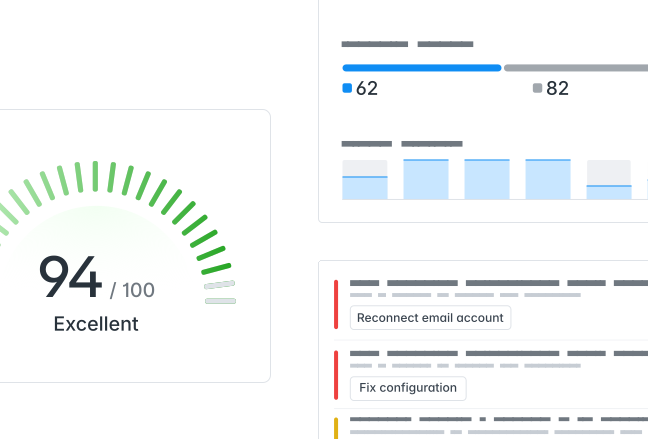
Following this schedule by hand takes daily discipline. Connect your mailbox to Hunter and its automatic ramp-up raises your daily sending limit for you, so your inbox warms up safely while you focus on your sequences.
Start for freeTwo guides to warm up the right way and put your inbox to work once it is ready.

A step-by-step walkthrough of warming a new mailbox the safe way, straight from the Hunter help center.

Where warmup fits in a full cold outreach workflow, and how to keep deliverability high once you scale.
Answers to the most common questions about warming up a new email account.
Most mailboxes need two to four weeks to warm up. Brand-new domains sit at the longer end of that range, while accounts with some existing history can move faster.
Start low, often just a few a day for a new account, and increase gradually. A warmed single inbox is usually safe around 50 emails a day. To send more, split volume across multiple inboxes.
Yes. The calculator runs entirely in your browser, needs no signup, and lets you export the schedule to CSV or your calendar at no cost.
No. The calculator only builds a schedule from the numbers you enter. It never connects to or sends from your mailbox.
A manual schedule tells you how many emails to send each day, and you send them yourself. Automated warmup tools send and reply to messages on your behalf so the ramp runs without daily effort.
No tool can guarantee inbox placement. Warmup lowers the risk of landing in spam, but authentication, list quality, and content all matter too.
More than 7,000,000 professionals use Hunter to build more connections and grow their business.