 Open in ChatGPT
No made-up contacts
ChatGPT stops inventing email addresses and people who don’t exist. If Hunter can’t verify a contact, it says so instead of guessing.
Find companies, verify emails, save leads, and launch campaigns all in one ChatGPT conversation.
Included in all plans. No extra cost.




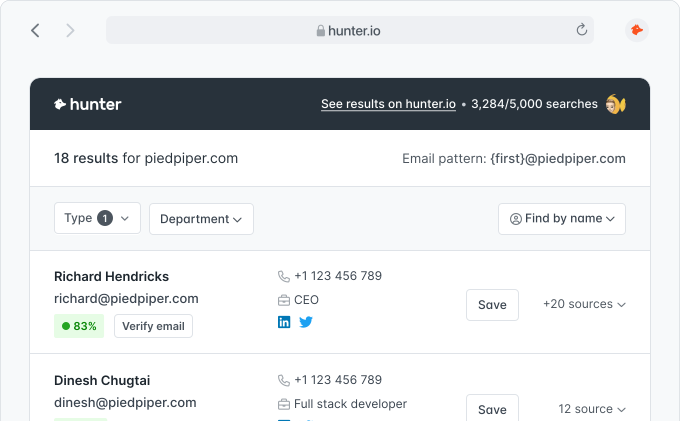
Ask ChatGPT for a prospect’s email on its own and it will confidently invent one. The name looks plausible, the domain looks right, and the message bounces. Hunter gives ChatGPT a real data source, so every company and contact it returns is found and verified, never guessed.
Every contact is found and verified, never guessed.
ChatGPT stops inventing email addresses and people who don’t exist. If Hunter can’t verify a contact, it says so instead of guessing.
Every email is checked for deliverability and returned with a confidence score, so you don’t burn your domain on bounces.
Answers come from Hunter’s database of 100M+ companies and real email addresses, not the model’s best guess.
You’re already using ChatGPT to research accounts, draft outreach, and prepare for calls. But the moment you need a verified email or a list of contacts at a company, you leave ChatGPT, open Hunter, and start copy-pasting. Context gets lost. Momentum slows down.
Prospecting used to mean juggling tools, exporting CSVs, and drowning in browser tabs. Tell ChatGPT who you’re trying to reach, and Hunter handles the rest.
Add Hunter to ChatGPT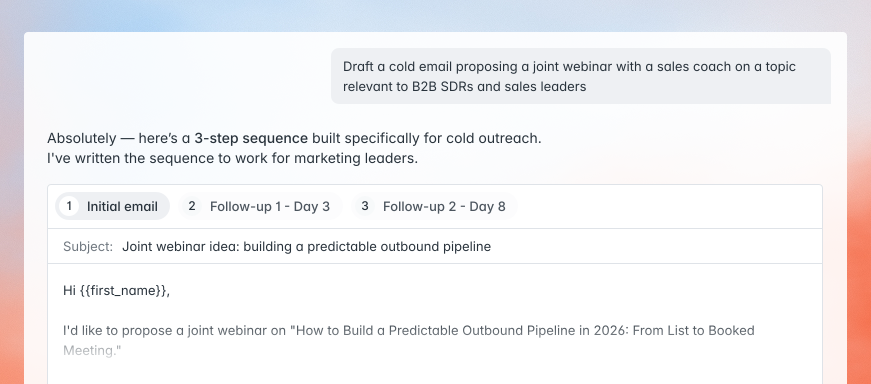
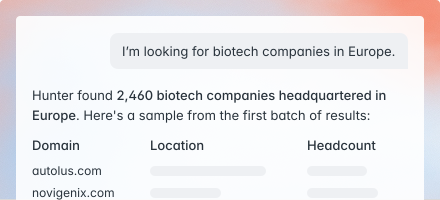
Search companies by industry, size, location, or tech – and pull verified contacts inside.
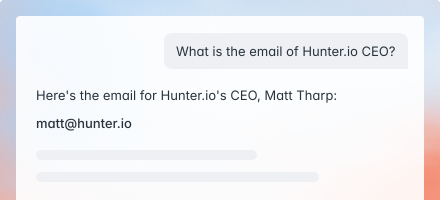
Get a professional email and a clear go/no-go on deliverability before you send.
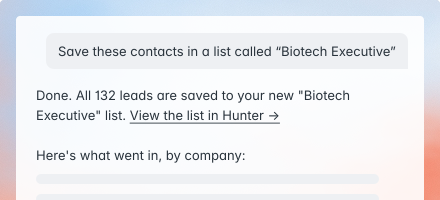
Save contacts to Hunter Leads and push them into campaigns – without leaving the chat.
Contacts move from research to campaign without a CSV in sight.
Hunter, ChatGPT, and your outreach all live in the same window.
Names, emails, and lists flow between tools automatically.
Connect Hunter once – your plan, credits, and data come with you.
Everything ChatGPT needs to power your outreach.
Already included in your Hunter plan.
Add the app once. Your existing Hunter plan and credits come with you.
Find companies, identify decision-makers, and verify emails – all in one conversation.
Save your contacts to a list and send a tailored outreach sequence, without leaving ChatGPT.
Included in all plans. No extra cost.
Find {{number}} companies in the {{industry}} industry, headquartered in {{location}}, with {{employee_range}} employees. For each company, find verified email addresses for people in {{job_titles}} roles. Return the results as a table.
I have a call with {{company_name}} tomorrow. Pull together a briefing: find the company’s website and key details, identify the decision-makers in {{department}} (especially anyone with “{{seniority_level}}” in their title), verify their email addresses, and surface any recent context I should know.
I’m going to paste a list of names and companies below. For each person, find and verify their professional email address using Hunter, and tell me the confidence score. If you can’t find a verified email, mark it as “not found” rather than guessing.
I need to reach the person responsible for {{function_or_decision}} at {{company_name}}. Search Hunter for contacts at this company, identify the most likely decision-maker based on job title, verify their email, and draft a short context-aware note.
Find everyone working at {{company_name}} in {{department}} roles. Organize them by seniority (leadership, mid-level, individual contributors) and include their verified email addresses where available. Highlight anyone whose title suggests a recent hire.
I want to run an outreach campaign targeting {{ideal_customer_profile}}. Step 1: find {{number}} matching companies. Step 2: identify and verify contacts in {{job_titles}} roles at each. Step 3: save the verified contacts to a new Hunter Leads list and prepare a campaign.
Already have one? You’re set. New to Hunter? Create a free account – no credit card, works with ChatGPT immediately.

 4.6 on Capterra
 4.4 on G2
If you can't find the answer to your question here, visit the dedicated section in our Help Center.
Visit the Help CenterThe Hunter app links your Hunter account to ChatGPT using the Model Context Protocol (MCP). It lets you find companies, search for contacts, verify emails, manage leads, and run campaigns – all through natural-language prompts inside ChatGPT.
The app works with all Hunter plans, including free accounts. Your existing request limits and credits apply.
The app gives ChatGPT access to the full Hunter API: Hunter Discover (find companies – free), the Domain Search (find contacts at a company), the Email Finder (find a specific person’s email), the Email Verifier (check deliverability), Company and Person Enrichment, Leads management (create, update, organize into lists), and Campaigns (add recipients, start sequences). Over 30 tools in total.
Yes. The app uses Hunter’s official MCP server with OAuth authentication. ChatGPT only accesses your Hunter data within the permissions you grant, and never stores your credentials.
Yes. The Hunter app is available in ChatGPT on web, desktop, and mobile.
Yes. The Hunter app gives ChatGPT access to over 30 tools covering the full Hunter API: search, enrichment, leads management, leads lists, custom attributes, and campaigns. Your existing Hunter account and credits apply.
More than 7,000,000 professionals use Hunter to build more connections and grow their business.