
We’ve added new automations in Hunter Campaigns that automatically handle unsubscribe requests and out-of-office replies, so you can keep your outreach cleaner and focus on real conversations.
Automatic unsubscribe and out-of-office detection
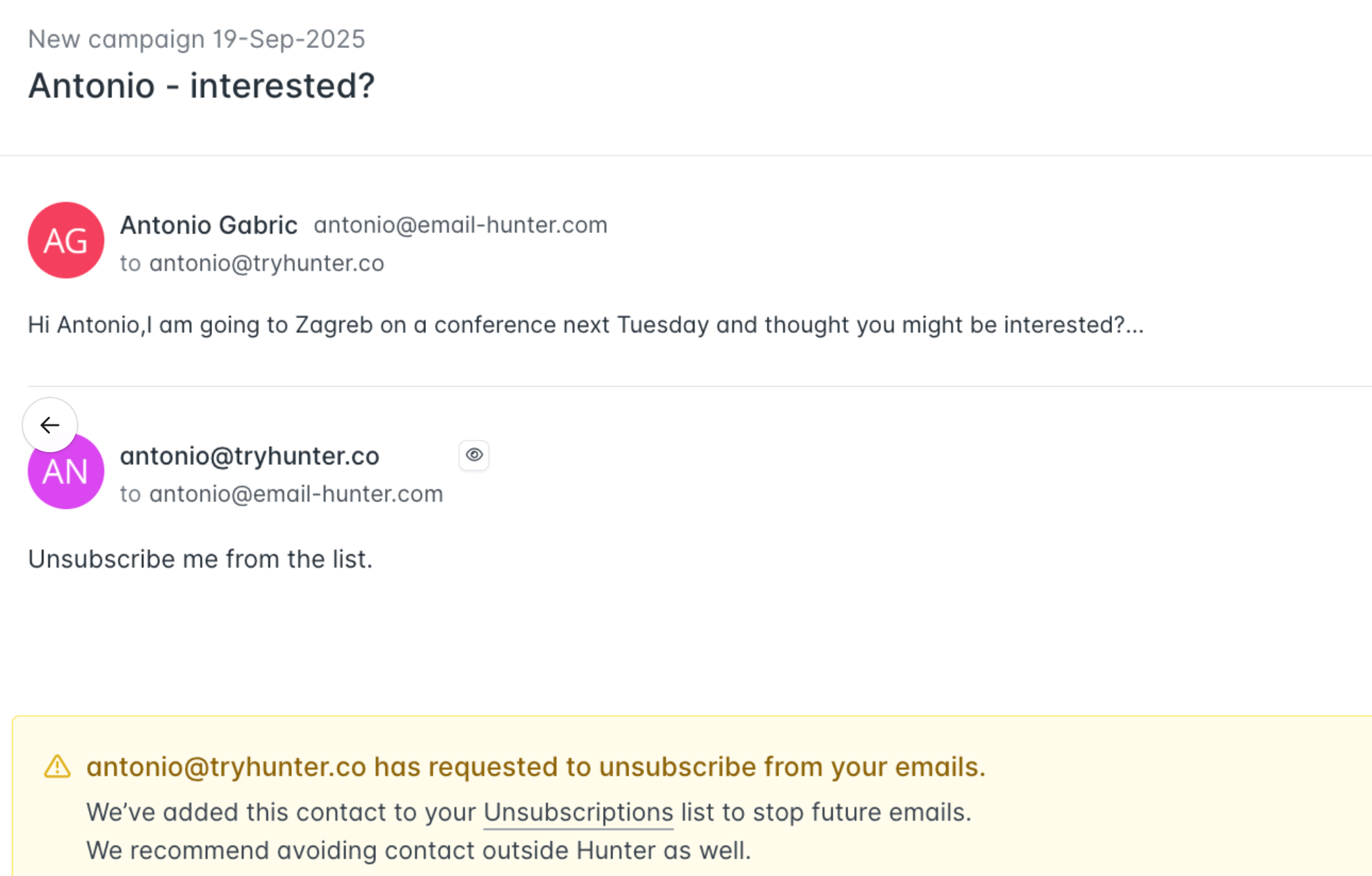
Hunter now automatically detects and processes unsubscribe requests and out-of-office replies, saving you time and keeping your campaigns cleaner.
- Messages containing “unsubscribe” within the first 100 characters are automatically added to the Unsubscriptions section.
- Common out-of-office phrases (such as “out of the office,” “away from my desk,” “currently unavailable,” “on vacation,” or “I will respond upon my return”) are also recognized.
- These emails are visible directly in your Inbox, giving you the option to manually pause scheduled follow-ups or keep them as they are.
This automation helps you stay compliant, avoid follow-ups to unavailable contacts, and maintain a strong sender reputation.
Why this matters
These improvements save you time by automatically handling unsubscribes and out-of-office replies.
This update is now live for all Hunter Campaigns users, and you’ll see the automatic detection directly in your Campaign Editor and Inbox.