16 questions (and answers) about how to write outreach emails that get replies
 James Milsom
•
Updated
James Milsom
•
Updated
The gap between knowing email outreach can work and making it work are where campaigns stall. It's not a knowledge problem, rather it's about execution. Decision makers are telling us that email outreach isn't working: 69% see AI slop in their inboxes, 65% say emails feel too pushy, and 61% find outreach emails irrelevant.
So how do you approach emails in a way that is thoughtful and scalable?
That's what we addressed in our "Art (and Science) of a Great Email" webinar, covering what we learned from analyzing 31 million outreach emails, how to set up your technical infrastructure, and how to write messages that demand replies.
With more questions to handle in one session, we're sharing what was asked, how we answered, all to give you a clear picture of how to set up your sending infrastructure, write emails that land, and avoid the mistakes that get 61% of outreach emails ignored.
Want to watch the replay on-demand? Click below.
Infrastructure and domains
1. I'm curious how subdomains don't create a sense of chaos and insecurity for the person we're sending from. Aren't we building the "brand" of the person and company?
Your outreach domains should reinforce your brand, not dilute it, and when set up correctly, recipients will not notice a difference.
This is an underemphasized point in the outreach industry.
Matt stressed in the session that every outreach email is a brand touchpoint, whether the recipient replies or not. Think of every outreach email as an ad - your key pain point needs to come across, and your brand name needs to be recognizable.
The practical rule is to keep your outreach domain close enough to your real brand that anyone seeing it would immediately make the connection.
Huntergrowth.io reads clearly as a Hunter email. If the domain name and the brand name in your signature are wildly far apart, that creates the exact suspicion you are trying to avoid.
One more detail: set up your outreach domains to redirect to your main website.
If a recipient types huntergrowth.io into their browser, your main Hunter.io site should load. That closes the loop and reinforces the brand impression.
2. I know there's a valid reason for creating multiple email accounts. Can you further expand on why?
Multiple accounts let you send relevant emails at scale without overloading any single account and triggering spam filters.
Email providers monitor how many emails each account sends.
When one account starts sending volumes that look unnatural for a personal inbox, it gets flagged. Multiple accounts solve this by distributing volume across many senders, each operating within safe limits.
But there is a second reason that matters just as much:
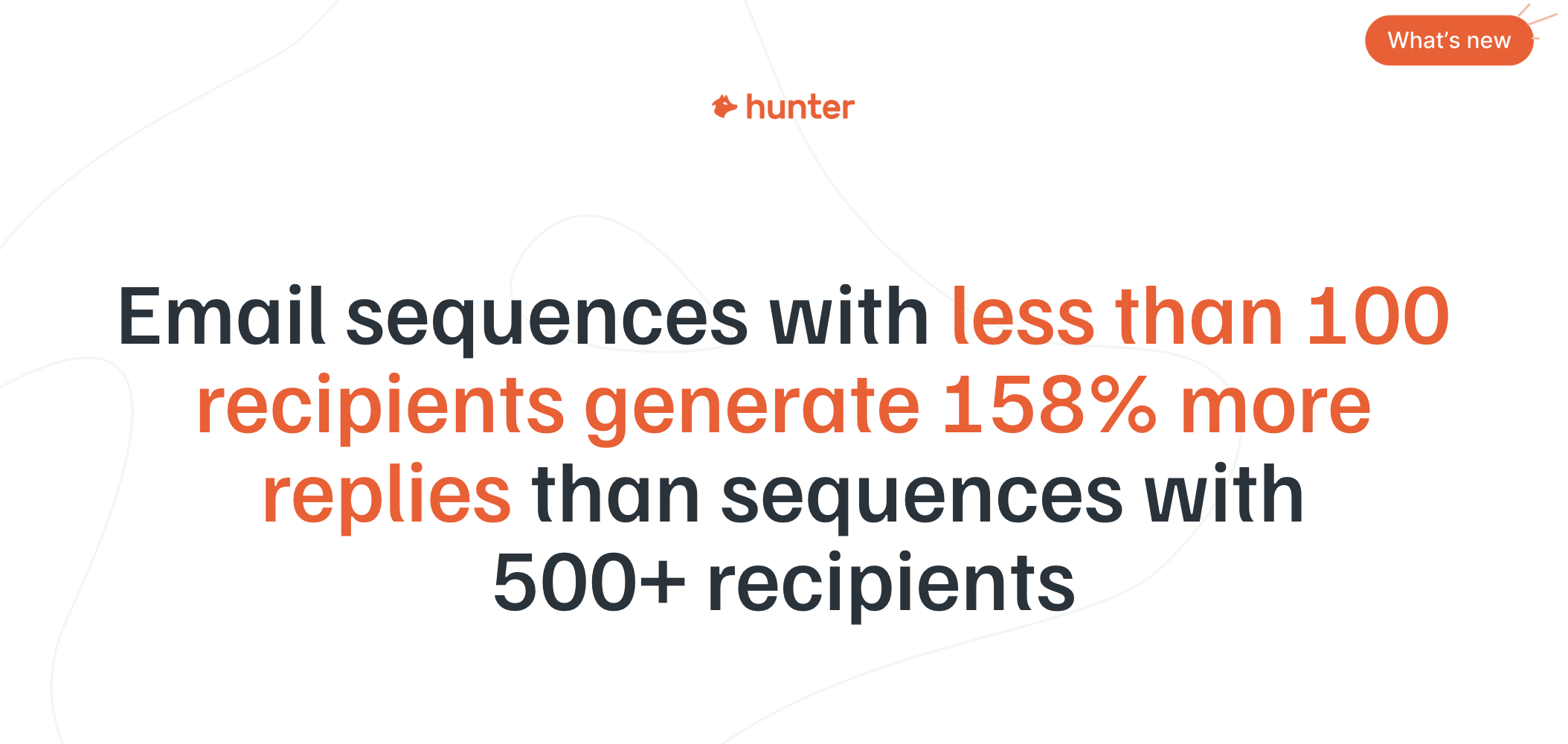
Hunter's State of Email Outreach 2026 shows that smaller lists outperform larger ones: campaigns sent to around 100 recipients per list achieve a 5.7% reply rate, compared to 4.5% for lists of 100 or more.
Multiple accounts let you run more targeted, smaller campaigns simultaneously rather than blasting one massive list from a single account.
The combination of these two benefits (safer sending limits and more targeted messaging) is what makes the multi-account setup worth the upfront investment.
3. What is the importance of a warmup? What does that do for us? Should these emails from the new subdomains come from our CRM?
Warmup teaches email providers that your new accounts are legitimate senders, not spam operations, and your outreach should not run through your CRM.
When you buy a new domain and create new email accounts, those accounts have no sending history. If you immediately start sending dozens of outreach emails, Google and Microsoft will flag the activity as suspicious. Warmup solves this by having the accounts send and receive emails naturally for a minimum of two weeks before any outreach begins.
Oliver described his approach in the session: start with two emails per account on day one, four on day two, six on day three, and gradually scale up.
Leave accounts at around 15 sends per day for a week or two, then continue scaling toward 30 to 45 per day.
Think of each email account like an athlete training for a marathon...you (rarey) can run 26 miles on day one.
The recommended warmup timeline:
- Minimum two weeks of warmup before sending any outreach
- Start at 2 emails per day per account, scaling gradually
- Reach 15 per day, hold for a week or two, then continue scaling
- The longer you warm up, the better (some run warmup for months)
On the CRM question: no, do not send outreach from your CRM.
Tools like HubSpot are built for marketing automation and newsletters. They send broadcast-style emails from shared addresses, which looks nothing like a personal one-to-one email.
Your CRM should manage accounts you are already talking to: customer relationships, sales opportunities, support.
Your outreach should run through a dedicated sending tool with its own separate infrastructure. Mixing outreach and warm marketing emails on the same infrastructure puts both at risk.
Hunter's outreach email sending tool, Sequences, is where to manage this in one place.
4. Are there any tools to tell what is the credibility score of a particular email domain?
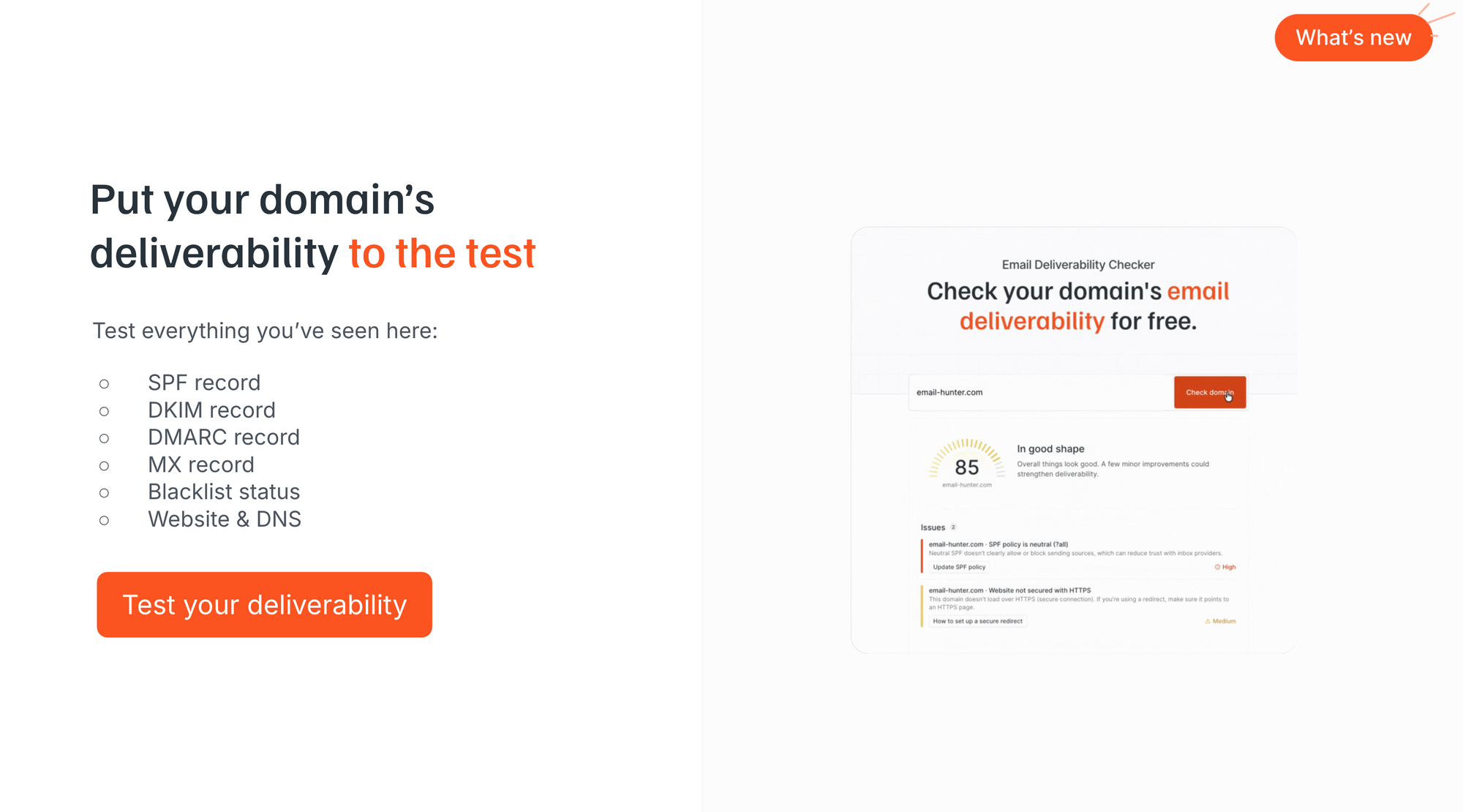
The simplest way is to use Hunter's free Email Deliverability Checker at hunter.io/email-deliverability-checker, which scans all four records plus blacklist status and DNS settings in a single pass.
You don't need to be technical to do this. Enter your sending domain or subdomain, and you'll see exactly what's configured, what's missing, and what needs fixing.
5. Google vs. Microsoft: would you recommend filtering companies by small for Google and larger companies for Microsoft? How many manual emails per day are safe for a brand-new domain?
Google Workspace accounts earn a 5.9% reply rate versus 4% for Microsoft 365, and most senders should default to Google unless they are targeting enterprise companies.
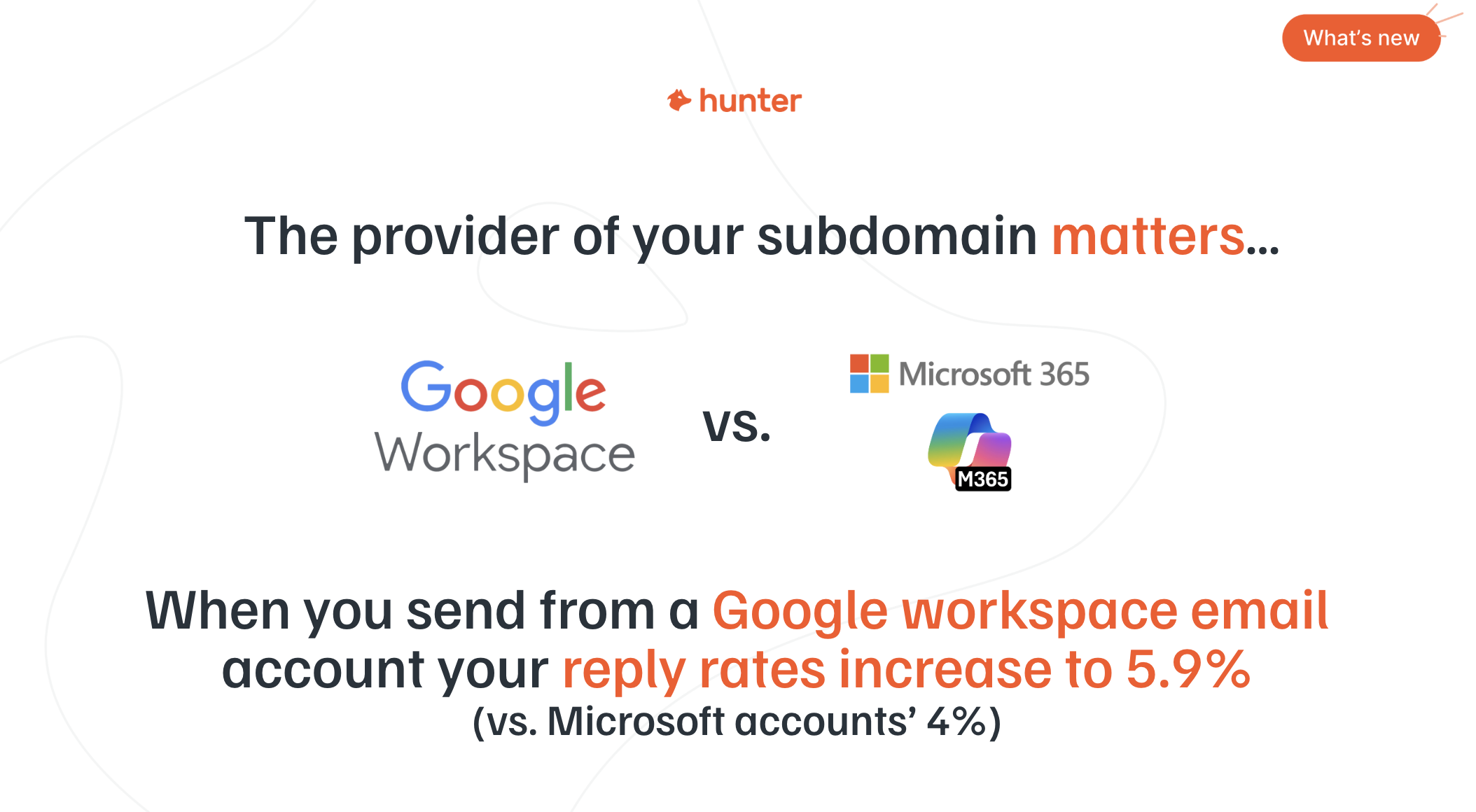
Most small and mid-sized businesses use Google Workspace. Google accounts deliver better to other Google accounts, and Microsoft accounts deliver better to other Microsoft accounts. So the question is really about your ICP.
The filtering logic:
- Targeting SMBs and startups? Use Google Workspace for your outreach accounts.
- Targeting enterprise companies? Consider splitting your infrastructure half Google, half Microsoft.
- Not sure? Default to Google.
Don't overthink it. If you pick Google and stick with it, you will get good results across most audiences.
For manual email volume on a brand-new domain: start with two emails on day one, then add two more each day until you reach about 15 per day.
Hold at 15 for one to two weeks. Then gradually increase toward 30 to 45 per day as the account builds a healthy sending reputation.
Never max out every account every day.
Vary your volume, just like an athlete varies training intensity to avoid burnout.
Deliverability and format
6. Does using HTML signatures or images hurt deliverability on day one?
Yes. HTML emails (including designed signatures with images and links) receive 674% more bounces than plain text emails, according to Hunter's data.
HTML elements, including graphic signatures, hyperlinks, images, bold/italic formatting, and GIFs, trigger spam filters at higher rates than plain text.
For outreach, the simpler the email, the better. Email providers run compliance and cybersecurity filters that flag links from unknown senders. If your email contains a link, it might not even reach the inbox.
On day one of a new domain, this is especially critical. Your accounts have no reputation yet. Adding HTML elements increases the chance that your emails land in spam before anyone ever sees them. It's also what makes it important to have ramp ups.
What to remove from your outreach emails:
- Hyperlinks (including in signatures)
- Attachments
- Graphics and images
- Bold, italic, and underlined text
- HTML-designed signature blocks
Once you have a positive reply and a relationship is forming, you can switch to your main email with a full signature for ongoing conversation.
7. What's your feedback/best practice on including sender signature box/contact info?
Keep your signature to plain text only: your name, title, company, location, and phone number.
Oliver shared his exact signature format in the session: "Oliver, CEO, Ascenxion, Cleveland, Ohio" followed by his phone number. No links, graphics, logo, or social handles.
Make sure whatever is in your signature aligns closely with the domain you are sending from.
If your email comes from huntergrowth.io but your signature says "Acme Corp," that disconnect makes the email look even more suspicious.
The brand name in your signature and the domain in your email address should clearly be the same company.
The full signature with links, logo, and social icons can come later, once you have moved the conversation to your primary email address after a positive response.
8. How do you offer up free resources without putting a link in your message?
Describe the resource in your initial email and offer to send it, then include the link only after the recipient replies.
Do not put links in the initial outreach email because that email is being sent at scale. If you send 100 emails with a link and get no responses, email providers may flag that link as suspicious.
Instead, create curiosity. Mention the resource, describe the outcome it delivers, and ask if they want it.
For example: "We built a calculator that shows how much time your team spends on manual accounting each week. Want me to send it over?"
When they reply "yes," you are now in a one-to-one conversation. The email provider sees that the recipient engaged. You can safely include the link in your follow-up, and it is far less likely to be flagged. The volume is lower, there is an established thread, and there is demonstrated interest.
This approach also doubles as a qualification step. If someone replies asking for your resource, you know they have at least some level of interest. That is more valuable than a blind click on a link.
Content and messaging
9. Does leading with value mean leading with outcomes, like "improve your ROI, decrease costs, improve health outcomes"? And how specific should those outcomes/value statements be?
Leading with value has two meanings: giving something tangible (like a resource or invitation) or, in a direct email, leading with a specific, pain-driven outcome.
The first version of "leading with value" is literally giving the recipient something: an invitation to a podcast, a custom calculator, a research report, a pilot offer. The value they receive is tangible and separate from your pitch.
The second version applies to direct outreach. If you are writing a straightforward email about your service, then yes, lead with the outcome. But be specific, and lead with pain before the outcome.
Generic outcomes ("improve your ROI") sound like every other email in their inbox. Specific, pain-driven outcomes cut through:
- Generic: "We help companies improve their sales process"
- Specific: "SaaS founders we work with were spending 10+ hours a week on manual accounting. We cut that to under two."
The pain point is what makes your product or service unique. Outcomes, taken to their logical end, all sound the same (more revenue, lower costs).
The specific pain you solve is what differentiates you and what creates an emotional connection with the 97% of prospects who are not actively buying right now.
10. Do you find a one-line qualifying intro helpful up front (e.g., "I work with your industry peers like X and X") or better to dive into what's valuable to your target prospect?
Lead with value to the prospect first. Social proof can support your message, but it should not be the opening line.
Oliver shared a framework for structuring outreach emails that is worth writing down:
- Open with a call-out (the outcome you help them achieve)
- Follow with your offer (how you do it)
- Add a testimonial, and then
- Address the pain point
But note, in some markets, name-dropping recognizable clients in the first line might immediately grab attention. In others, it's posturing.
The only way to know is to test: send one version of 50 emails with the social proof up front and another 50 leading with value, and compare response rates.
Do not bury your value in the third paragraph. Whatever your opening approach, get to the point in the first sentence. If someone has to read for two minutes before understanding why you are emailing, you have already lost them.
11. If you receive a reply from a first outreach, "yes, please send more info," and send more info and then you don't get any more feedback. What's the best way to react to that?
If it is a one-off, do not overthink it. If it is happening repeatedly, the problem is in what you are sending, not in the prospect.
If one person goes quiet after requesting more info, that is normal. People are busy, they're not rude. It's very easy to not respond to an email, and it does not necessarily mean the information was bad.
If the pattern keeps repeating, though, that is a signal. Evaluate what you are sending. Maybe the "more info" you provide is too generic, too long, or does not match what they expected. Consider these alternatives:
- Instead of sending a document, try pushing for a short call so you can tailor the information to their specific situation
- Follow up with a genuine, low-pressure message: "I hope that was useful. Did it hit the mark, or should I recalibrate?"
- Share something more specific, like a case study or data point relevant to their industry
Matt emphasized that most people are willing to give you feedback if you ask politely and genuinely. They are very unlikely to respond with something harsh. But you have to ask, because they have no obligation to volunteer that feedback unprompted.
12. 3-4 follow-ups is best if you don't have any reply, but what should I do if an email is opened but no reply?
Treat an open without a reply the same way you would treat no response at all, and be cautious about trusting open data.
Open tracking is inherently unreliable.
Open tracking works by embedding a tiny pixel in the email, and email providers do not always load that pixel accurately.
Some emails show as "opened" when they were only previewed in a notification. Others are opened but the pixel never fires.
Hunter's data shows that turning off open tracking can increase reply rates to 7.4%, because open tracking itself adds HTML elements that can hurt deliverability.
The solution isn't to change how you follow up based on if someone opens or not - you need to improve your emails
- Make the value clearer in the first sentence
- Ensure your CTA is low-pressure ("Can I send more info?" not "Let's book a call Tuesday")
- Keep the email short. If everyone else is writing long emails, write shorter.
Using three follow-up emails increases reply rates from 3.3% to 6.8%, according to Hunter's data.
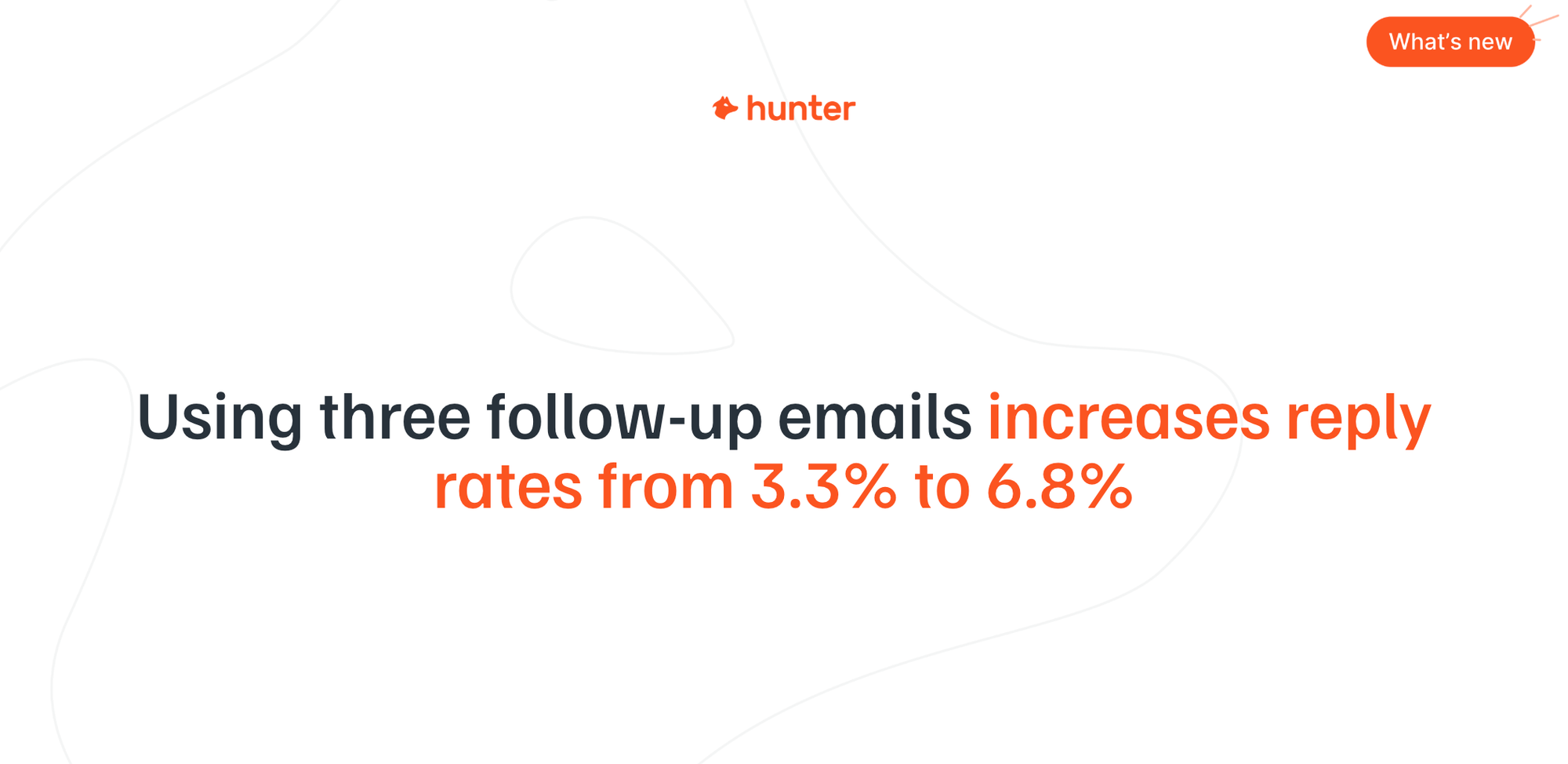
Stick to that cadence. Each follow-up should share new content or ask a new question, not just bump the thread.
Strategy and market
13. Does any of this advice change based on the size of an organization, for example a solo entrepreneur doing everything themselves?
No. The principles are the same whether you are a solo founder or a 100-person sales team.
If you can build this system as a one-person business, you can build it at any scale. The infrastructure setup, the warmup process, the creative approach: none of it changes based on company size.
What does change is emphasis. A solo entrepreneur probably does not need 30 email accounts and 10 domains. The scalability side matters less when you are one person. What matters more is automating good messages so you can focus your time on conversations, not on manual sending.
14. Does it make sense to post on as many social media platforms as possible to get our brand out there?
Social visibility helps, but it is not a requirement for successful outreach, and it depends heavily on your industry.
Oliver's analogy from the session says it all: if someone knocks on your front door and you do not know who they are, you are skeptical. If you have seen them around the neighborhood, you are more likely to open the door. Social media presence works the same way. It builds familiarity.
Matt offered a suggestion- one of the most effective second touches he has used is not social media at all - it's retargeting ads.
A prospect receives an outreach email, visits the website, and then sees retargeting ads as they browse.
By the time the follow-up email arrives, they have seen the brand seven or eight times.
That familiarity increases response rates without requiring a prolific social media presence:
- If your prospects are active on social media (marketers, founders, tech companies), a LinkedIn presence adds credibility and familiarity
- If your prospects are in industries that do not check social media (accounting, manufacturing, healthcare), it will not make or break your campaign
- A good email is a good email regardless of your social footprint. Social presence supports outreach but does not replace strong messaging.
15. Automation has exploded over the past couple of years and my reply rates have dropped. Hiring managers say they're getting 40-50 emails a day, so they ignore most. Is genuine outreach being drowned out by automation?
The volume of bad outreach has increased, but that is making it easier, not harder, for genuine outreach to stand out.
This was a central theme of the session because 58% of decision makers still receive at least one valuable outreach email per month. That means the channel is working for senders who do it well, but most aren't doing outreach well.
The hiring manager receiving 40 to 50 emails a day is not ignoring all of them.
They are ignoring the ones that feel like AI slop (69%), the ones that are too pushy (65%), and the ones that are irrelevant (61%). A relevant, well-researched, low-pressure email still gets read.
Only 3% of your prospects are actively looking for a solution right now. If you focus only on that 3% with a direct pitch, you are competing with everyone else doing the same thing.
But if you take a relationship-driven approach (podcast invitations, research calls, sharing tools and resources), you can access up to 70% of the market. That is where the opportunity is, and it is exactly the kind of outreach that automation-heavy senders are not doing.
Performance and benchmarks
16. What are the open rates by use case (e.g., marketing, SEO, sales, PR)?
The overall average open rate across 31 million outreach emails is 30%, but reply rates vary dramatically by use case, which is the metric that actually matters.
Open rates are useful for testing subject lines, but they are not the metric you should be optimizing for. Reply rates tell you whether your email actually compelled someone to act. Hunter's data breaks down reply rates by use case:
- Traditional sales outreach (asking for a meeting): 3%
- Marketing campaigns to MQLs or existing accounts: 6.2%
- Headhunting and recruiting: 7.5%
- Digital PR: 13%
The gap between a 3% sales reply rate and a 13% digital PR reply rate is not about the subject line. It is about the value exchange. Digital PR emails offer clear, mutual value (coverage, backlinks, quotes). Sales emails often ask without giving.
Open rates are less useful to compare by use case because they are heavily influenced by subject line, sender name, and sending time, all of which vary independently of the email's content. Focus on reply rates. That is the metric that predicts pipeline.
Watch the replay
There's plenty more to uncover about email writing. To find out, check out the full recording below.


 Send cold emails with Hunter